
Your masjid.
On every screen.
Prayer and Iqamah times, announcements, alerts and live khutbahs — on every TV in the masjid, run from your phone. Free, forever.
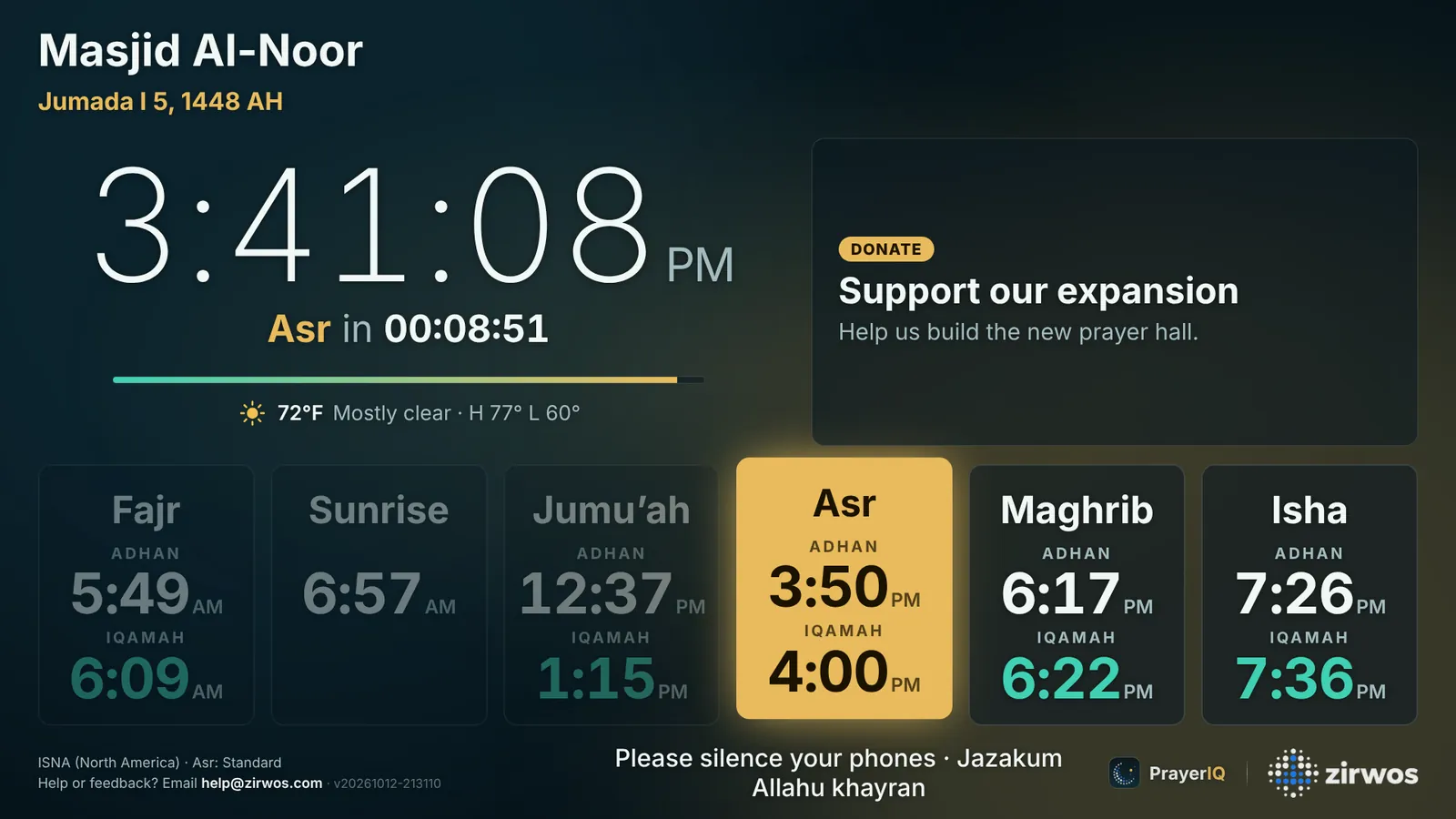
Right to the minute.
Calculated for your exact location and matched to your timetable. Iqamah after adhan or at a fixed time, two Jumu’ahs, Khutbah or Iqamah — your call.
Screens that set themselves up.
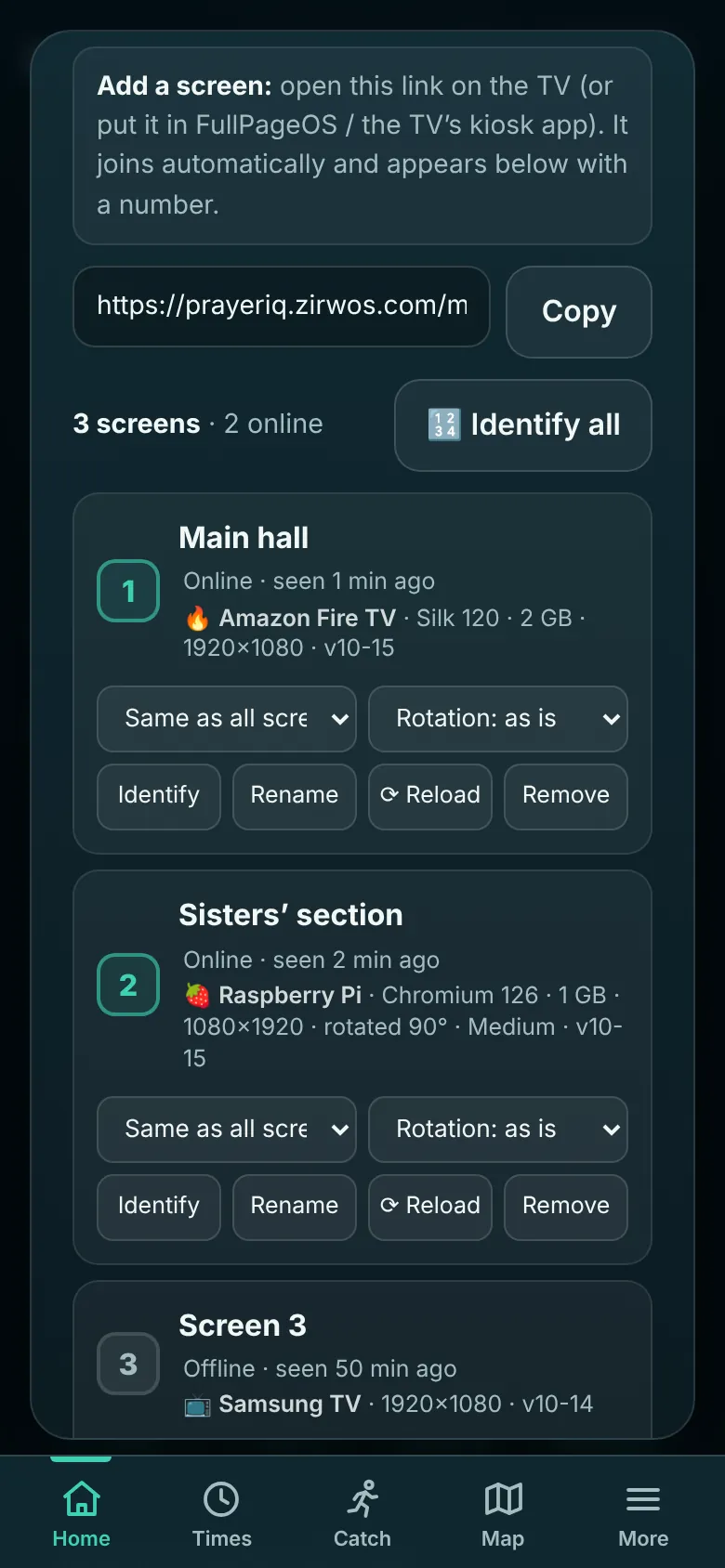
Open your masjid’s TV link on any screen. It joins your list on its own, numbered and ready — no codes, no accounts.
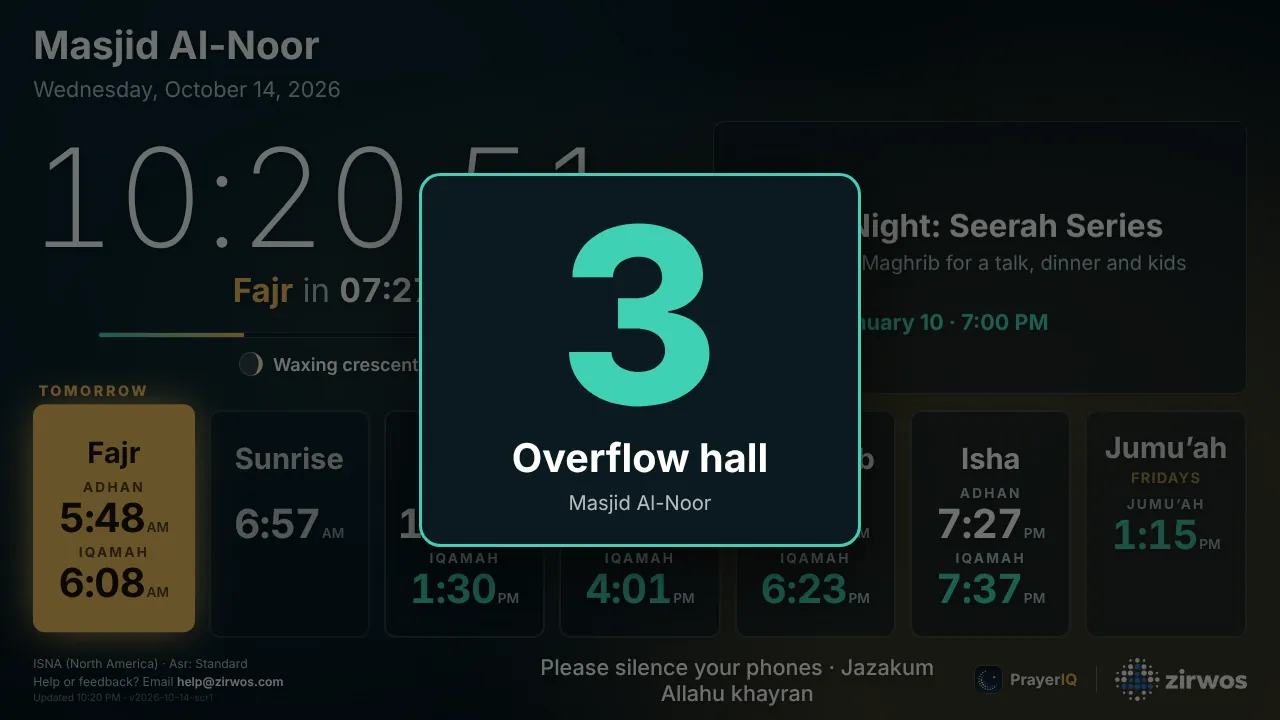
- Identify in one tap. Every screen flashes its number, so you know which TV is which.
- Knows what it’s running on. Raspberry Pi, Fire TV, Google TV, Samsung, LG or PC — with memory, resolution and mode.
- Control from anywhere. Rename, rotate, reload, or show only times or only slides.
Everything a masjid needs.
Nothing it doesn’t.
Announcements & slides
Write it once. Show it beside the clock, full screen, or both — on its own schedule, with images, countdowns and QR codes.
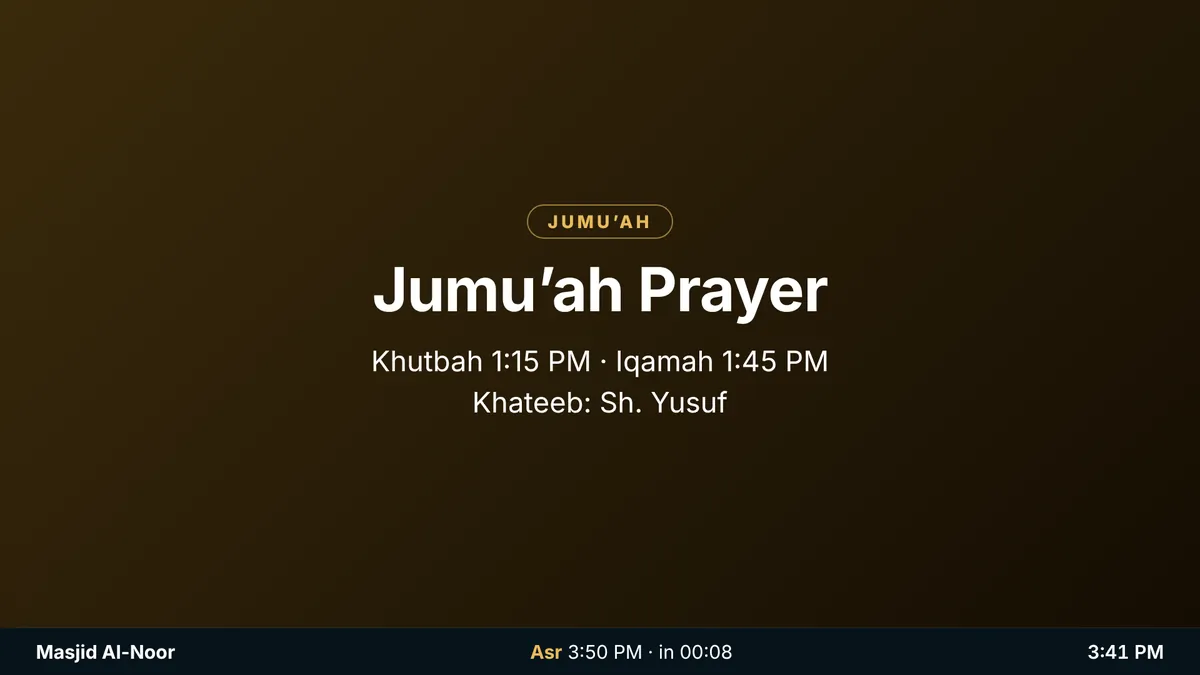
Quiet at Iqamah
Slides pause from 5 minutes before each Iqamah until 15 after. Prayer times stay front and center.
Instant alerts
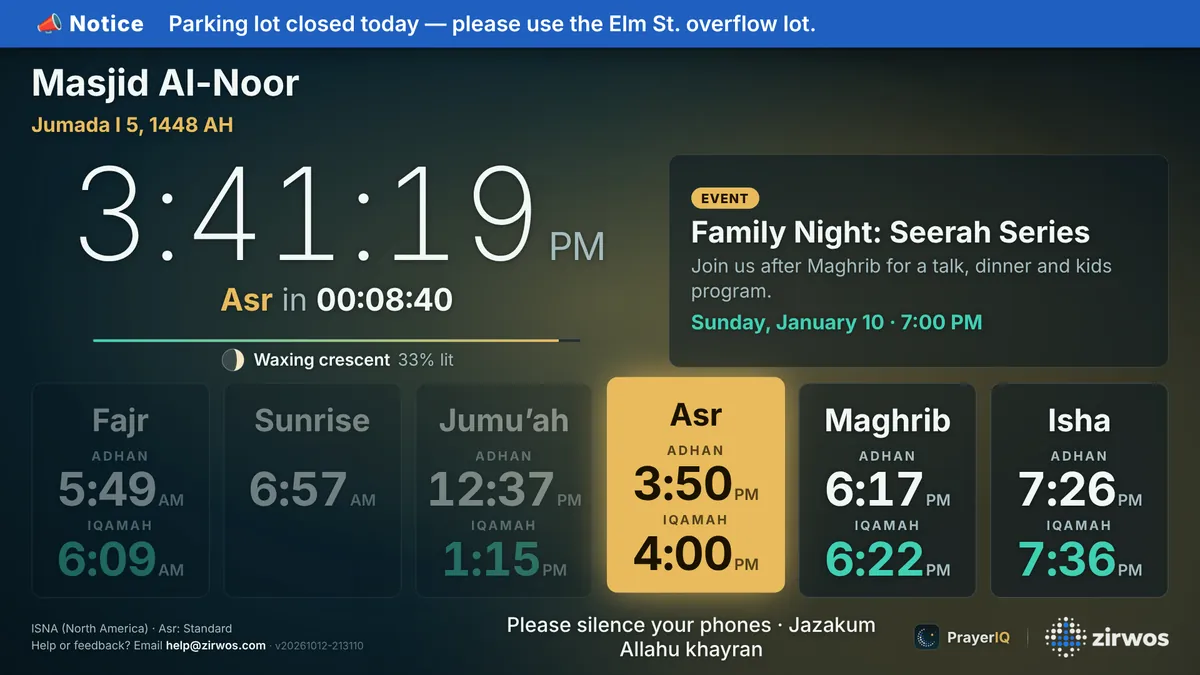
A janazah notice or parking change on every screen in a second — as a banner or full screen.
Ramadan & Hijri
Suhoor, Iftar and Taraweeh rows appear by themselves, with the Hijri date and white days.
Ways to give
Zelle, PayPal, Cash App and more on a donation slide with a QR code and goal. Money goes straight to the masjid.
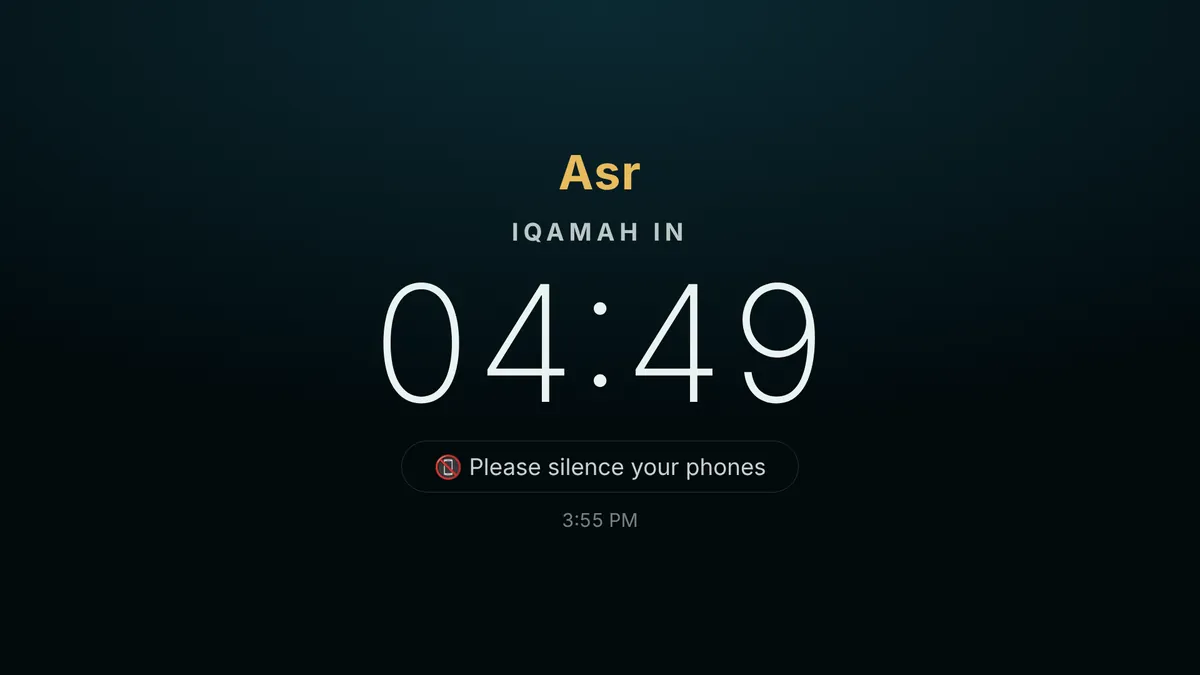
Prayer mode
From each adhan, a calm Iqamah countdown fills the screen — then “Salah in progress”.
Weather, moon & sleep
Today’s weather and moon phase under the clock, and screens that dim to a small clock overnight.
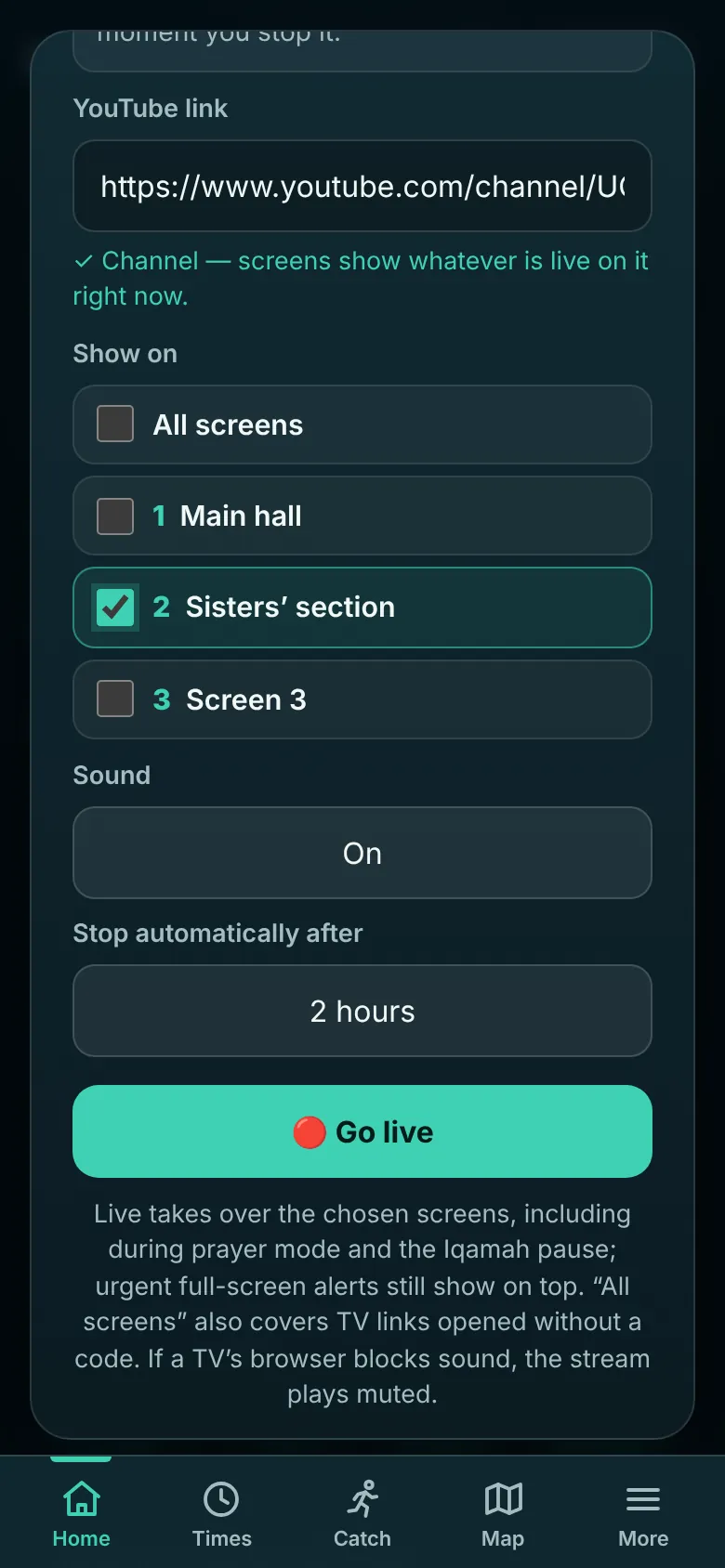
The khutbah, in every room.
Put your YouTube live stream on the overflow hall or the sisters’ section in one tap. Screens return to normal the moment it ends.
- Paste your channel once. It shows whatever is live, every week.
- Choose the screens. All of them, or just the rooms that need it.
- End it from your phone. A small “Live · End” button stays with you, and it stops on its own when time’s up.
Any screen with a browser.
No app to install. A Raspberry Pi works beautifully, and screens keep showing prayer times through Wi-Fi drops and power cuts.
defaultEvery effect and animation. For modern TVs, sticks and computers.
?medium=1Same look and motion, without the heaviest effects. Made for the Raspberry Pi 3.
?lite=1No motion and the lightest load. For the oldest devices.
Made for the people, too.
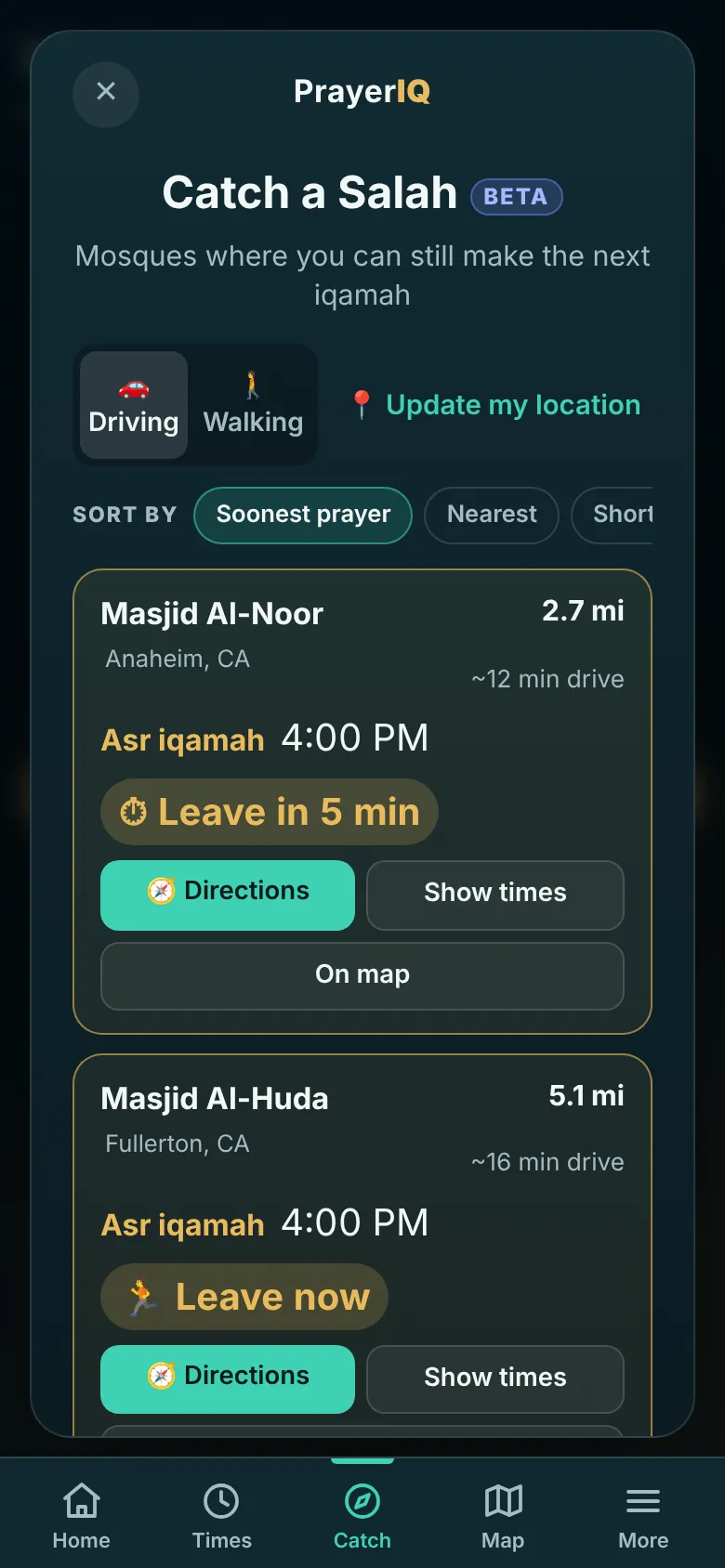
Add PrayerIQ to your home screen. Follow your masjids, see times wherever you are, and catch a prayer on the road.
- Catch a Salah. The next Iqamah you can still reach, and when to leave.
- Prayer times where you are. No masjid needed — perfect for travel.
- Masjid map. Every masjid on PrayerIQ, near you.
Up and running in minutes.
Find your masjid
Open PrayerIQ and choose your masjid — or request it. No sign-in needed to ask.
Open the TV link
On the TV, Fire TV or Raspberry Pi, open your masjid’s TV link, like prayeriq.zirwos.com/your-masjid/tv. It joins by itself.
Run it from your phone
Sign in as an owner or editor to post announcements, set Iqamah times, identify screens and go live.
Free. No ads.
Forever.
Built by Zirwos for masjids everywhere. No paid tiers, no selling data.